RedGraphs Assist
Governed capture and verification of economic relationships from primary source documents.
Governance engine for economic data
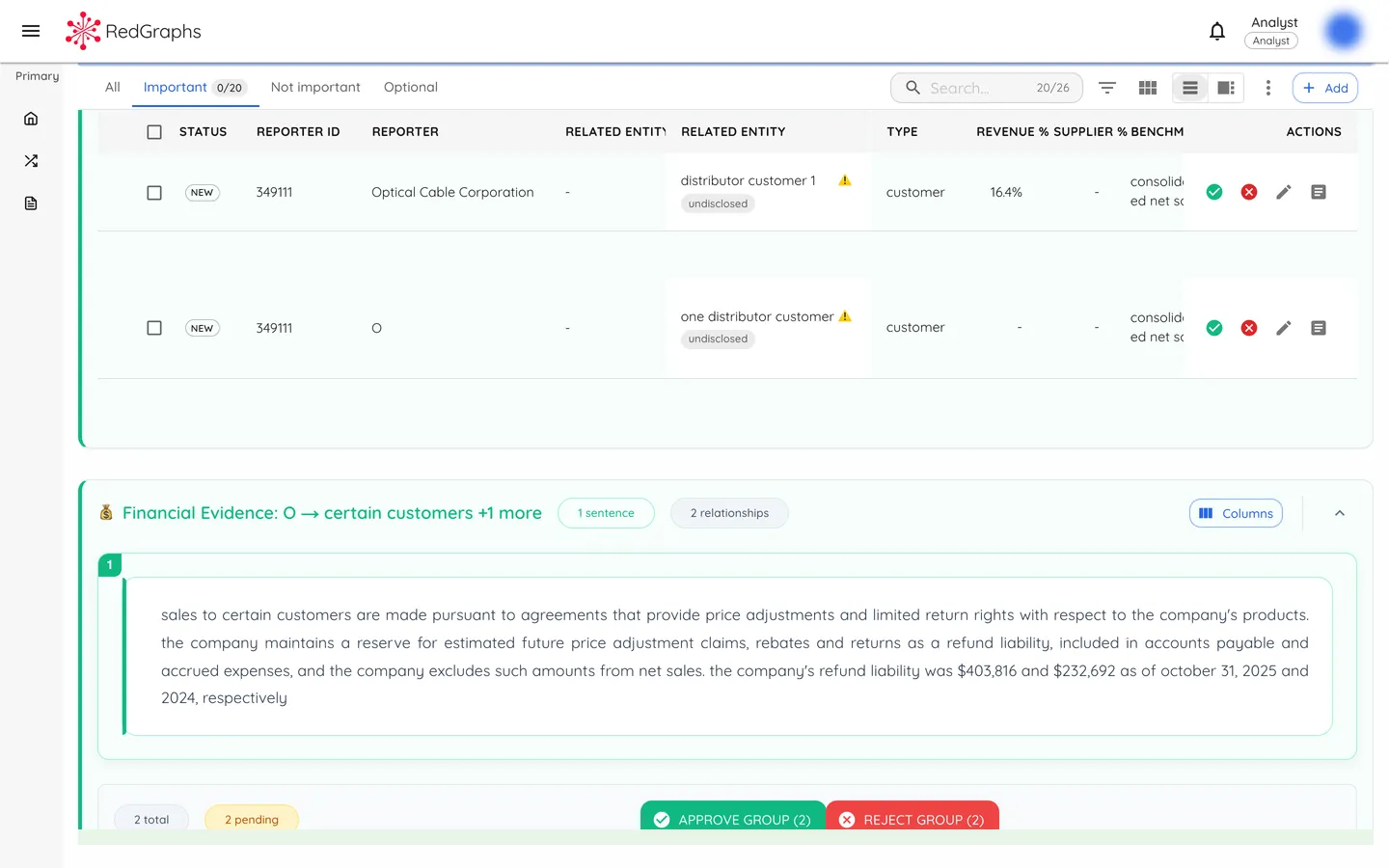
Governed Capture
Evidence-bound relationship capture with full provenance tracking.
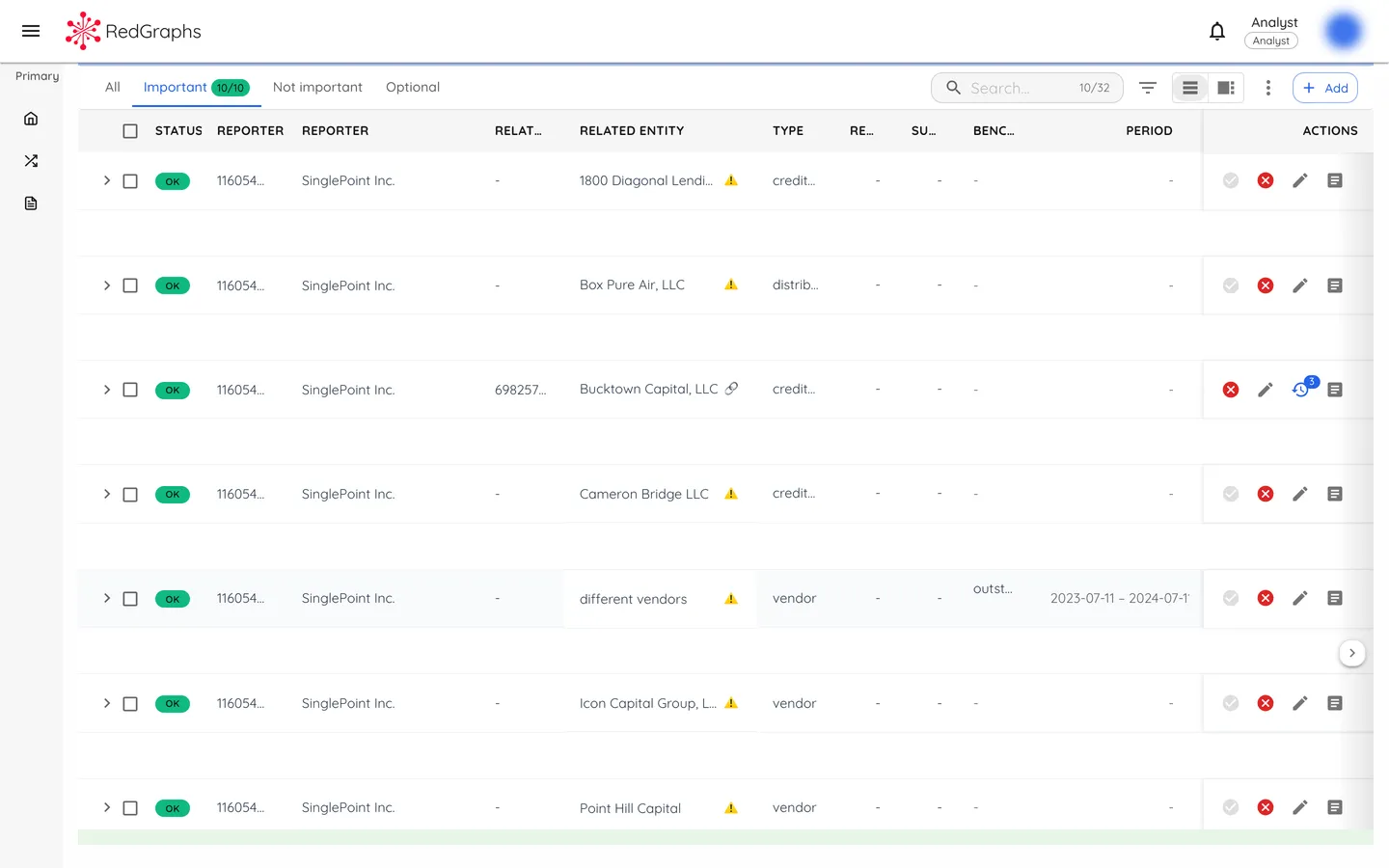
Review Queue
Every relationship entering the Economic Relationship Graph binds to specific evidence extracted from source documents, ensuring each claim is traceable and defensible in audit.
Entity Resolution
Both parties are resolved to canonical identifiers before a relationship is created.
Evidence Binding
Each relationship links to specific sentences in source documents with location references.
Provenance Chain
Extraction method and source version are recorded for reproducibility.
For the complete relationship schema and evidence model, see Data Schema. For the verification methodology, see Methodology.
Validation Workflow
Human-in-the-loop verification with structured decision outcomes.
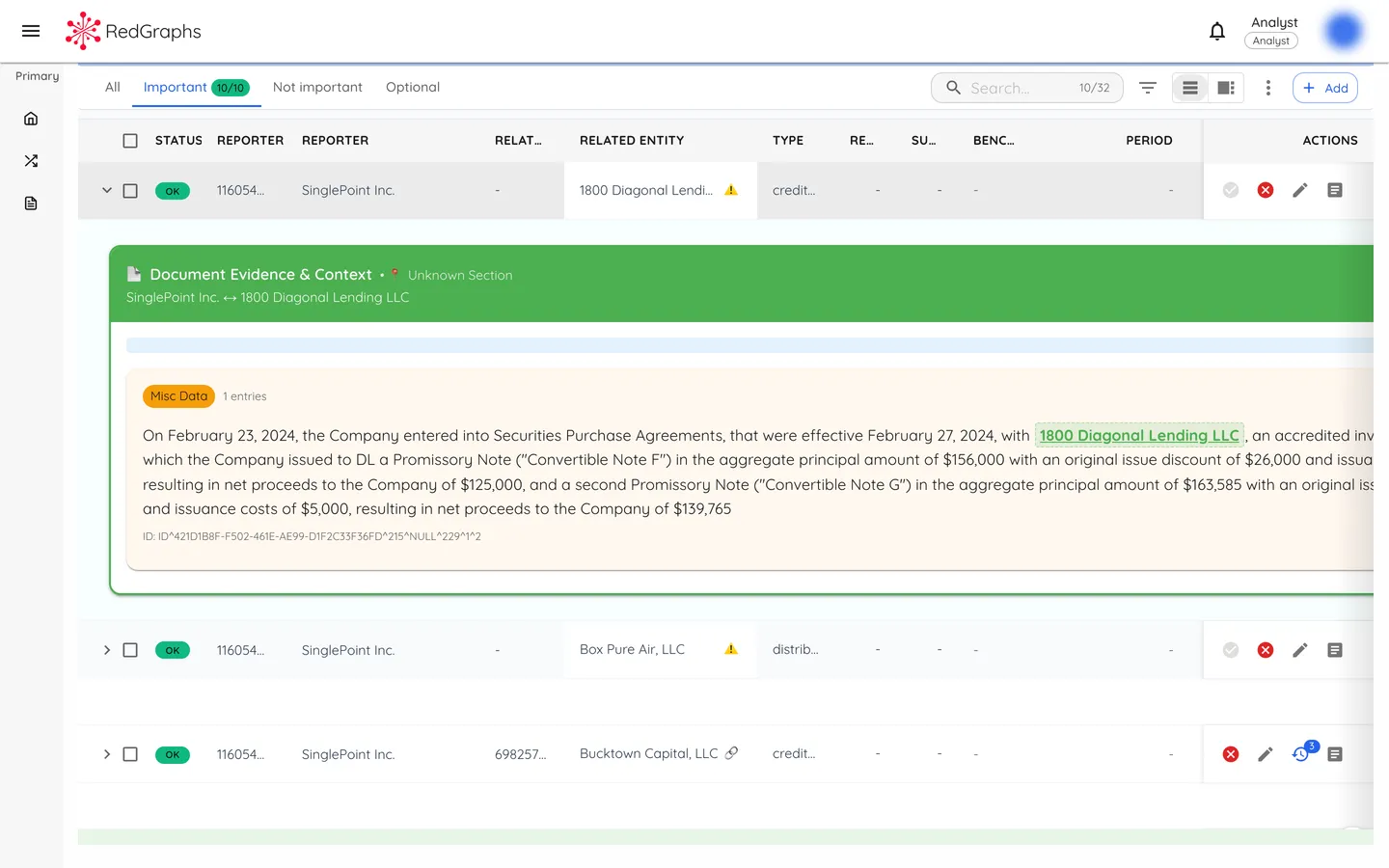
Evidence Inspection
Relationships extracted from source documents enter a review queue where human reviewers inspect the evidence and make decisions. The workflow ensures that automated extraction is subject to governed verification before publication.
Reviewers see the source document with highlighted sentences alongside the extracted relationship, enabling direct comparison between claim and evidence.
Accept
Relationship is valid. Published to the Economic Relationship Graph with full provenance.
Reject
Relationship is not valid. Excluded from the graph with rejection reason recorded.
Defer
Insufficient information. Remains in queue for later review when more context is available.
- Inspect extracted evidence alongside relationship claims
- View source document with highlighted sentences
- Correct entity names, relationship types, or financial attributes
- Create relationships from evidence not captured by extraction
Correction Model
Non-destructive corrections that preserve the audit baseline.
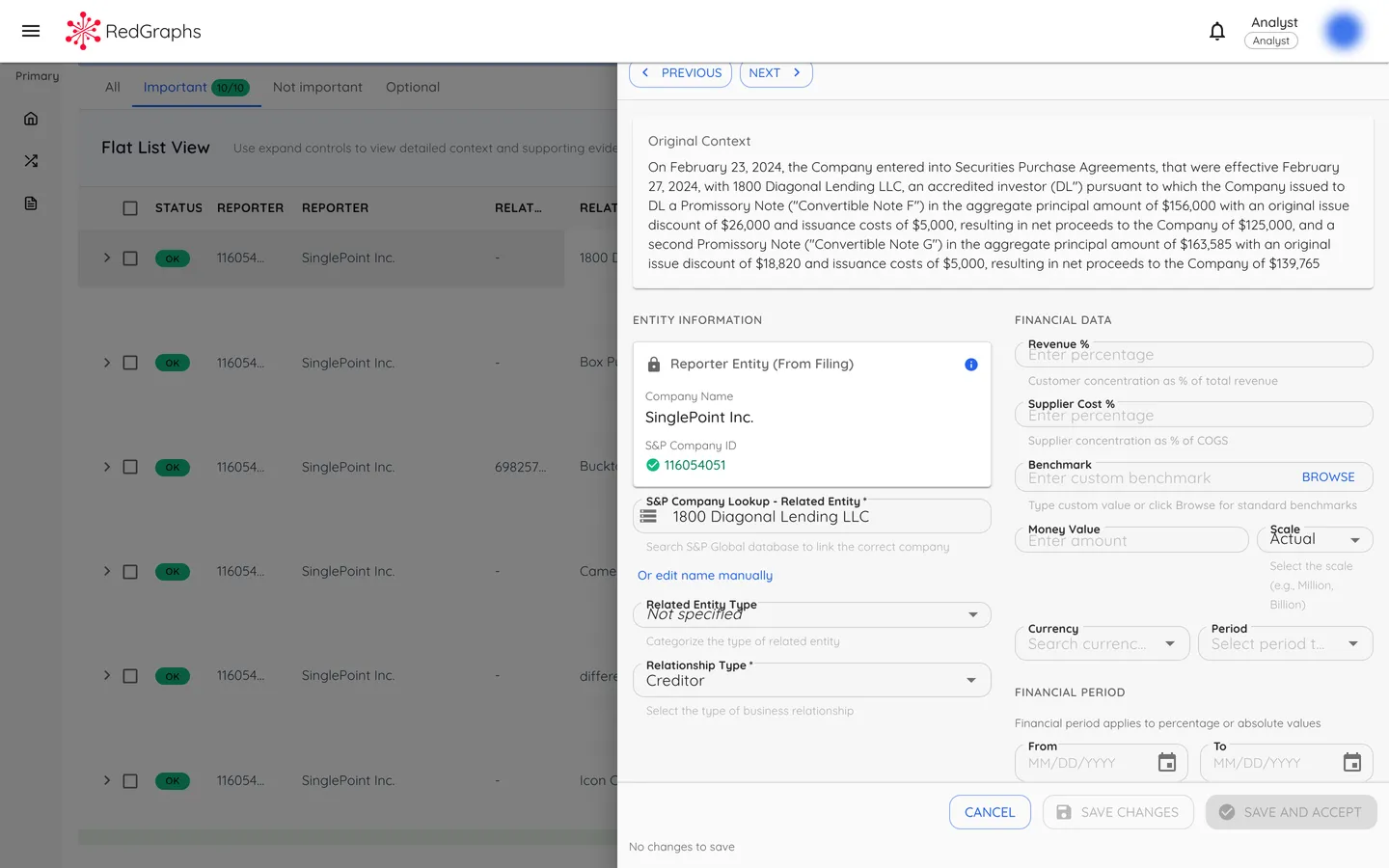
Non-Destructive Corrections
When a reviewer corrects a relationship, the original extraction is not modified. Instead, corrections are recorded as overlays that are applied at query time. This preserves the audit baseline while enabling corrections to be traced and attributed.
Each correction records the actor, timestamp, changed fields, and reason -- providing a complete attribution chain.
Why Overlays
- Original extraction preserved for audit and compliance
- Corrections are traceable with full attribution
- Historical states can be reconstructed
- Extraction model improvements do not invalidate corrections
Actor Hierarchy
When multiple corrections exist, human decisions supersede automated ones. This ensures that reviewer judgment is authoritative over system-generated corrections.
Audit Trail
Complete decision history with evidence integrity verification.
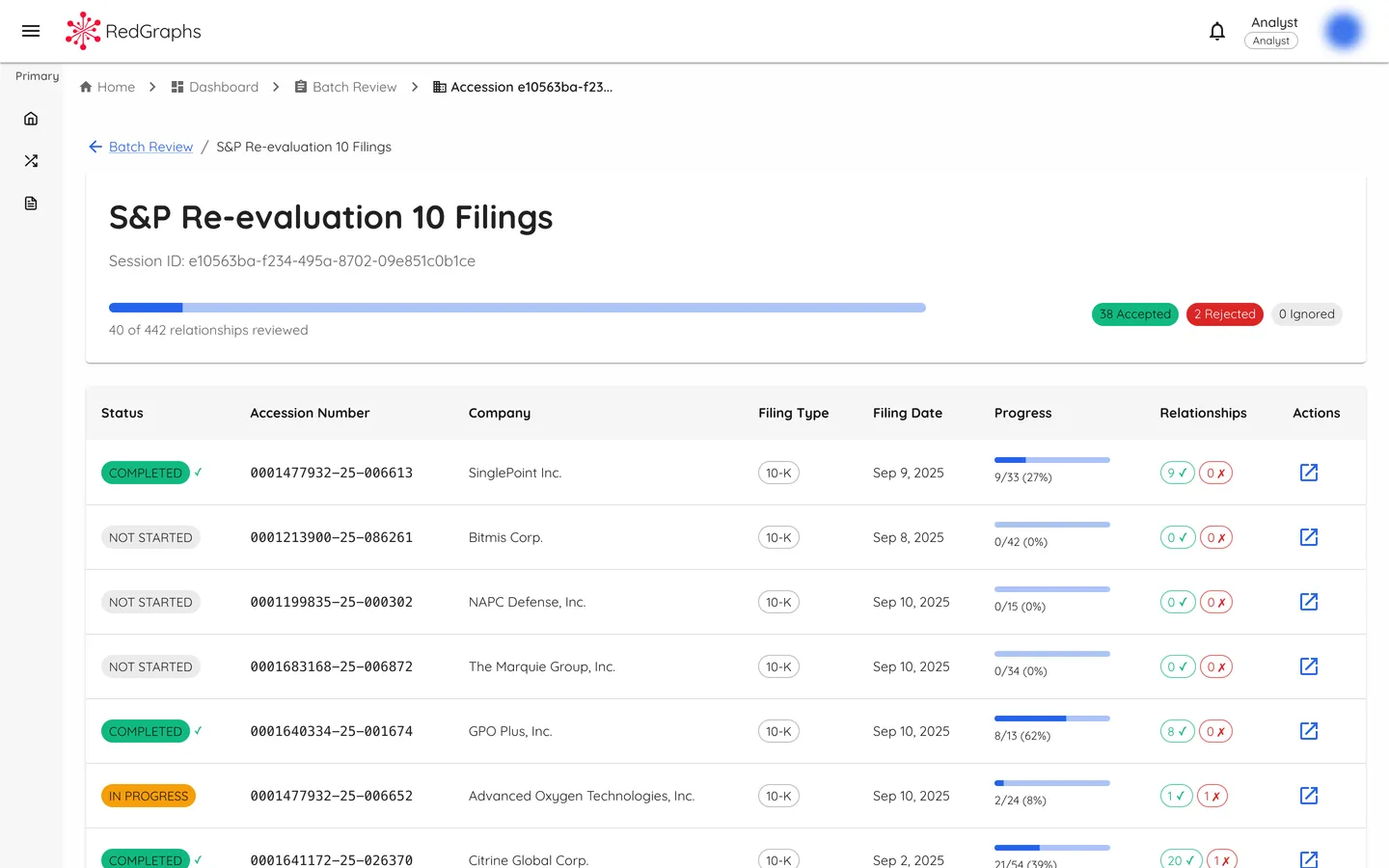
Batch Review Tracking
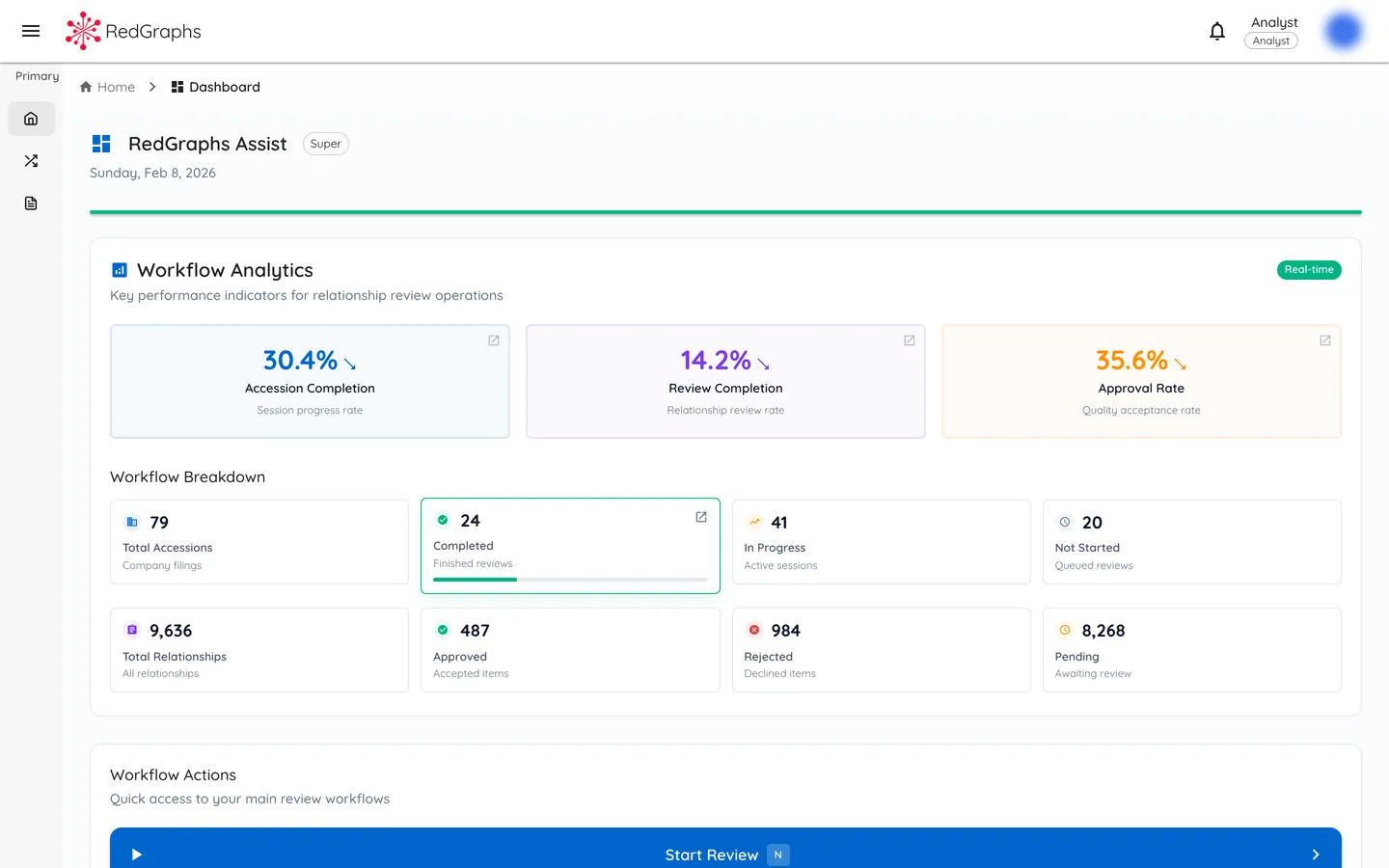
Review sessions group filings into managed batches with per-accession progress tracking. Accepted and rejected counts are visible at the session level, and each decision is recorded with user attribution and timestamp.
The complete timeline -- from extraction through review to publication -- is preserved as an append-only log with integrity hashes for evidence verification.
What Is Recorded
- User identity and action timestamp
- Decision type (accept, reject, defer, correct)
- Evidence document and sentence references
- Integrity hash of evidence at decision time
- Correction details when applicable
Review Cycle Isolation
When documents are re-reviewed, decisions are scoped to a review cycle. This allows the same documents to be reviewed multiple times without overwriting historical decisions. Each cycle maintains its own statistics and progress tracking.
For the complete auditability model including confidence scoring and verification lifecycle, see Methodology: Auditability.
Scope
What Assist enables and where its scope ends.
Enables
- ✓ Evidence-bound relationship capture with document-level traceability
- ✓ Human validation with full decision attribution and audit trail
- ✓ Non-destructive correction with preserved audit baseline
- ✓ Review cycle isolation for repeated review without data loss
- ✓ Actor-attributed decisions with clear human-over-system hierarchy
- ✓ Integrity verification through evidence hashing
Does Not Enable
- -- Modification of source extractions (corrections are overlays only)
- -- Unattributed changes (every action requires authenticated user)
- -- Relationships without evidence binding
- -- System override of human review decisions
- -- Network analysis or traversal (see Vista)
- -- Concentration metrics (see Vista)
These boundaries protect data integrity, ensure auditability, and maintain clear separation between capture (Assist) and analysis (Vista).
Integration
How Assist connects to the broader RedGraphs infrastructure.
Effective Relationship State
Downstream consumers query the effective state of relationships, which merges the original extraction with any applicable overlays. This provides a single, current view while preserving full history for audit.
Analysis Surface
Validated relationships flow to Vista for network analysis and concentration analysis. Assist is the capture and governance layer; Vista is the analysis layer.
Data Flow
SEC filings, registries, disclosures
Capture, validate, correct
Validated relationships
Analyze, model, simulate
Request access to Assist
To discuss Assist access or integration with your existing workflows, contact the RedGraphs team.